
Stop switching windows.
Start Orchestrating.
6 AI CLI Terminals. One Workspace. Full Control.
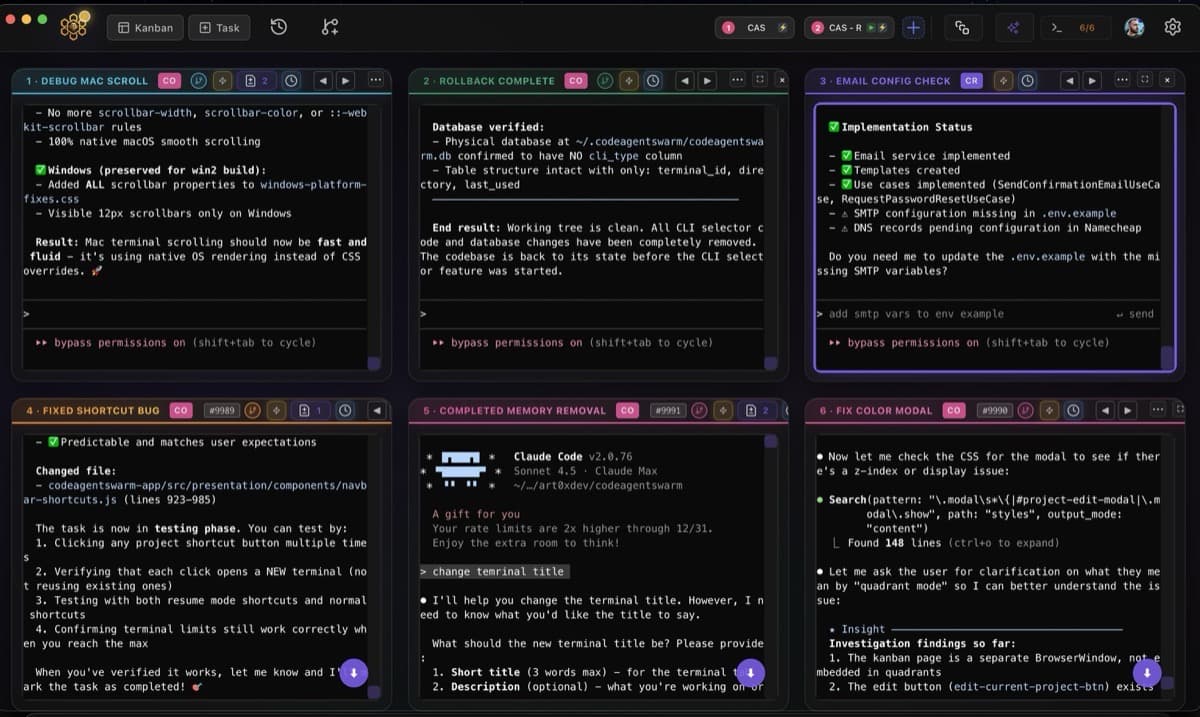
Run up to 6 AI CLI terminals in parallel - Claude Code, Codex, Gemini CLI - with real time visibility, live notifications, full conversation history and multi project control.
Works with Claude Code, Codex or Gemini CLI. Requires macOS 12 or later.

Parallel Terminals
6 AI CLI agents working together

Search Everything
Full conversation history, never lose context

Real-Time Visibility
Live diffs and change tracking

Agentic Task Board
Tasks your agents read, update, and complete
Multi-Terminal Control
Manage multiple AI CLI sessions simultaneously
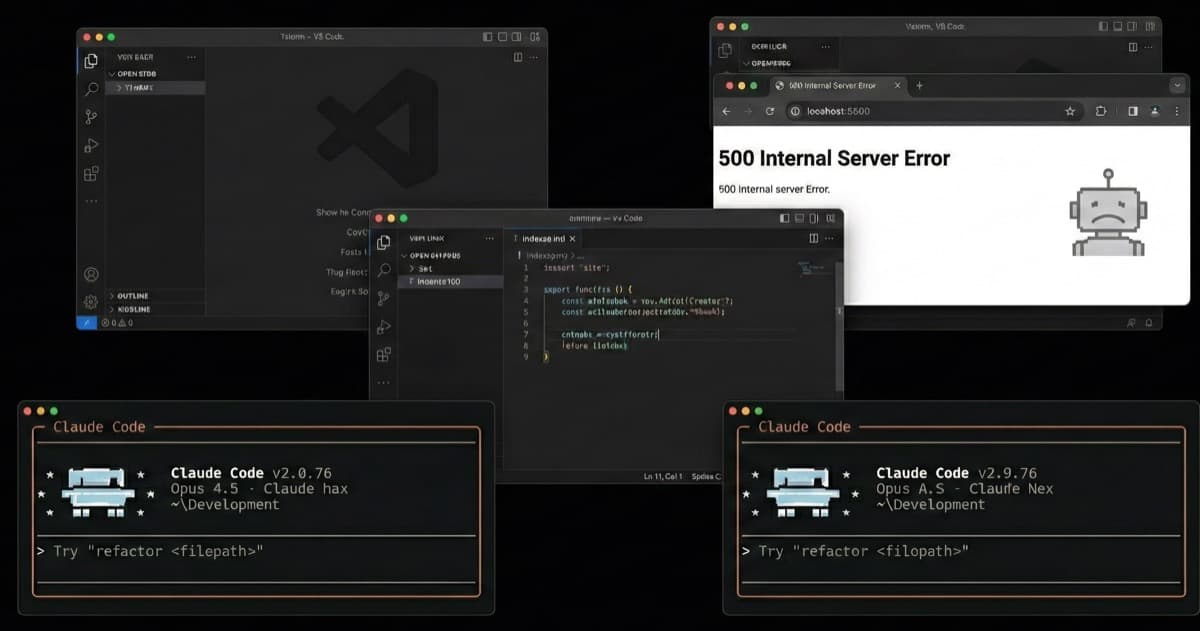
Without CodeAgentSwarm
Window switching is wasting your time
With CodeAgentSwarm
All visible at once - 6 terminals, 1 view
Window switching
is wasting your time
When your entire workflow depends on one AI chat or terminal, the mental tax compounds. Context switching between windows, lost threads, repeated prompts - you're paying an invisible productivity tax every single minute.
Constantly switching between windows, losing your train of thought.
No visibility. Claude Code makes changes and you're flying blind.
Sessions lose context. You repeat the same prompts like a broken record.
The AI finishes and you don't even know. No notifications means you're glued to the terminal.
Everything You Need
Multiple AI CLI Terminals in Parallel
View guideEach terminal is independent: its own project, its own context, its own task. No conflicts. No waiting. Work on frontend while another terminal handles backend.
Agent Task Board
Create tasks. Assign them to terminals. Review changes when they finish. Agents read the board via MCP and update their progress automatically.
Real-Time AI CLI Notifications
View guideStop watching terminals. When an agent finishes, needs input, or fails - it alerts you. Work on something else while your AI agents work for you.
Real-Time Visibility & Change Tracking
View guideLive diffs while Claude edits. Dynamic titles showing what each agent is doing. Know exactly what changed without checking git afterwards.
Full Conversation History
View guideEvery decision, every explanation, every snippet - searchable. Recover context from 3 weeks ago in seconds. Never repeat a prompt because it 'got lost'.
Turbo Mode (Skip Permissions)
View guideSkip confirmation prompts for routine operations but maintain guardrails for sensitive ones. Block pushes to protected branches, prevent destructive deletes, limit sensitive commands. You set the limits.
Connect Everything in One Click
A catalog of integrations you enable per project. Your AI agent reads GitHub PRs, creates Jira tickets, updates Notion docs - without leaving the terminal.
Click any integration to install
Database & Storage
Supabase, PostgreSQL, Google Drive - all your data sources in one place.
Browser Automation
Playwright and Puppeteer for testing, scraping, and automation.
Team Communication
Slack, Notion, GitHub - keep your team in sync automatically.
Simple pricing
Start free and upgrade when you need more power. No hidden fees, no surprises.
30-day money-back guarantee | Cancel anytime | Secure payment via Stripe
Product Roadmap
Our vision for the future of AI-powered development
Multi-Agent Integration
Expand beyond Claude to support multiple AI CLI agents
Cross-Platform Support
Bringing CodeAgentSwarm to Windows and Linux
Autonomous Mode
The agent creates its own tasks and completes them without intervention. You define the goal, it does the rest.
Knowledge Intelligence
Learn and leverage knowledge from completed tasks
Frequently Asked Questions
CodeAgentSwarm makes multi-terminal AI CLI setup simple. Just open the app and you can run up to 6 AI CLI terminals (Claude Code, Codex, or Gemini CLI) simultaneously. Each terminal operates independently, letting you work on different tasks or projects in parallel with full real-time visibility.
CodeAgentSwarm lets you manage multiple AI CLI projects seamlessly - whether you use Claude Code, Codex, or Gemini CLI. Switch between projects without losing context. Each project maintains its own terminal configurations, task boards, and conversation history. It's an AI multiproject workspace designed for developers juggling multiple codebases.
Yes! CodeAgentSwarm provides real-time coding visibility with live diffs so you can see AI code changes in real-time. Dynamic terminal titles show what each AI CLI agent (Claude Code, Codex, or Gemini CLI) is working on, and the file tracking system highlights exactly what changed and when.
Absolutely. You get real-time notifications for AI coding events. When any AI CLI terminal (Claude Code, Codex, or Gemini CLI) finishes a task, needs your input, or encounters an error, you'll know instantly. Never miss an update with instant desktop notifications.
CodeAgentSwarm saves your complete AI CLI conversation history across all sessions - whether you use Claude Code, Codex, or Gemini CLI. Search any past chat, decision, or code snippet instantly. Session history is fully searchable, so you never lose context or have to repeat explanations.
Yes. CodeAgentSwarm provides visual permission settings for Claude Code, Codex, and Gemini CLI to manage file access and actions. You can configure what each terminal can access, approve sensitive operations, and maintain a secure AI coding environment while using Turbo Mode for safe actions.
Yes! CodeAgentSwarm includes full MCP integration with a built-in MCP marketplace. Connect your AI CLI agents (Claude Code, Codex, Gemini CLI) to GitHub, Notion, Slack, Supabase, Brave Search, Playwright, PostgreSQL and more. MCP tools extend what your agents can do.
Yes. CodeAgentSwarm keeps a synchronized conversation history across terminals, shows real time changes from each agent and links project structure with terminal context. This prevents your AI CLI agents (Claude Code, Codex, Gemini CLI) from forgetting past actions or losing track during multi step work.
tmux manages windows. CodeAgentSwarm manages agents: task state, notifications when they finish, live diffs, per-project history and configurable permissions. If you just need to split your screen, tmux works fine. If you want to know what each agent is doing and never miss a thing, you need CodeAgentSwarm.
Learn to Master CODEAGENTSWARM
Practical guides to get the most out of it
Ready to Transform
Your Development?
Join developers who want to orchestrate multiple AI CLI terminals with real time visibility, notifications and full conversation history.
Already using Claude Code, Codex or Gemini CLI? It just works. Install and open.
Available for
 macOS
macOSSystem Requirements
First time installing? You might need to right-click and select "Open" to bypass Gatekeeper.